
Multiple-experiment fitting
Multi-dataset fitting across processed Active experiments, including constraints, shared options, diagnostics, and combined results.
Last verified:
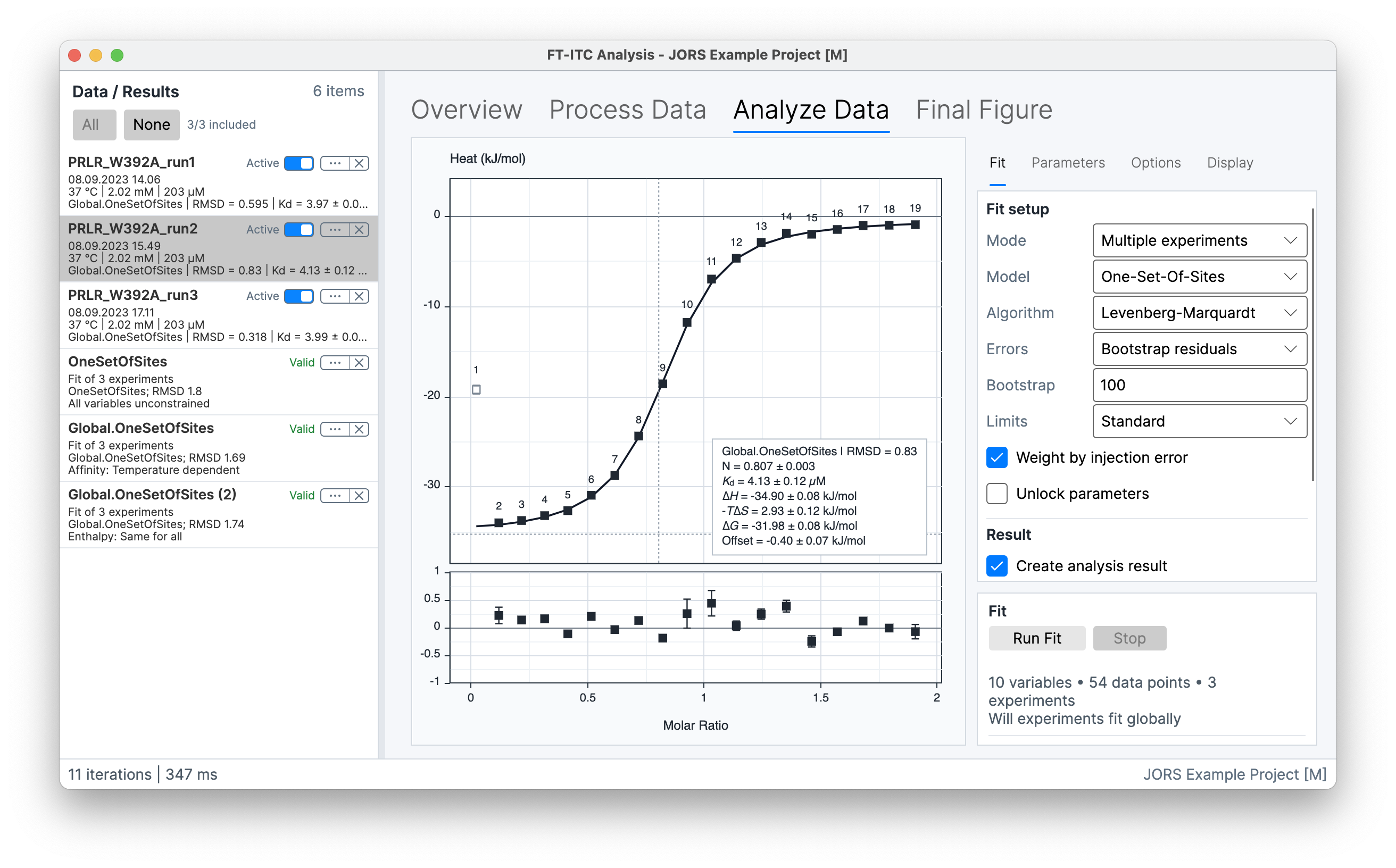
Use Multiple experiments when several experiments should be analysed with the same model. Mark at least two processed experiments Active in Analyze Data. You can let each experiment have its own parameter values, or tell the fit that a supported parameter has a shared or temperature-dependent relationship across the experiments. This is useful when the experiments test the same interaction under different conditions.
When every constraint is Independent, the members are fitted independently. When one or more supported constraints are active, the solver performs one global optimization across the experiments. Each experiment remains a member of the combined Analysis Result, with member-specific parameters where the constraint state is Independent.
The model and model options apply across the active set. The resulting Analysis Result retains the member fits, any shared or temperature-dependent parameters, constraints, solver settings, diagnostics, and uncertainty output. Shared fitting controls are described in Single-experiment fitting.
Fit
In Fit, select the shared model, optimizer, uncertainty method, limits, and weighting, then choose Run Fit. Enable result creation to retain the collection. The controls work as described in Single-experiment fitting.
For a global fit, Leave-one-out checks the effect of omitting each experiment in turn. Profile likelihood evaluates the complete global fit, including its shared and member-specific free parameters. Independently fitted members use their own data and parameters for these calculations. Bootstrap count, concentration uncertainty, and parameter unlocking are available only with Bootstrap residuals.
The Result controls describe whether a completed fit is stored as an Analysis Result and whether that result opens automatically. Run Fit and Stop are the fit controls. The status area records termination state, RMSD, iteration count, elapsed time, and error-estimation outcome when applicable. A multiple-experiment analysis is ready only when every member has usable processed data and the set contains at least two members.
Parameters
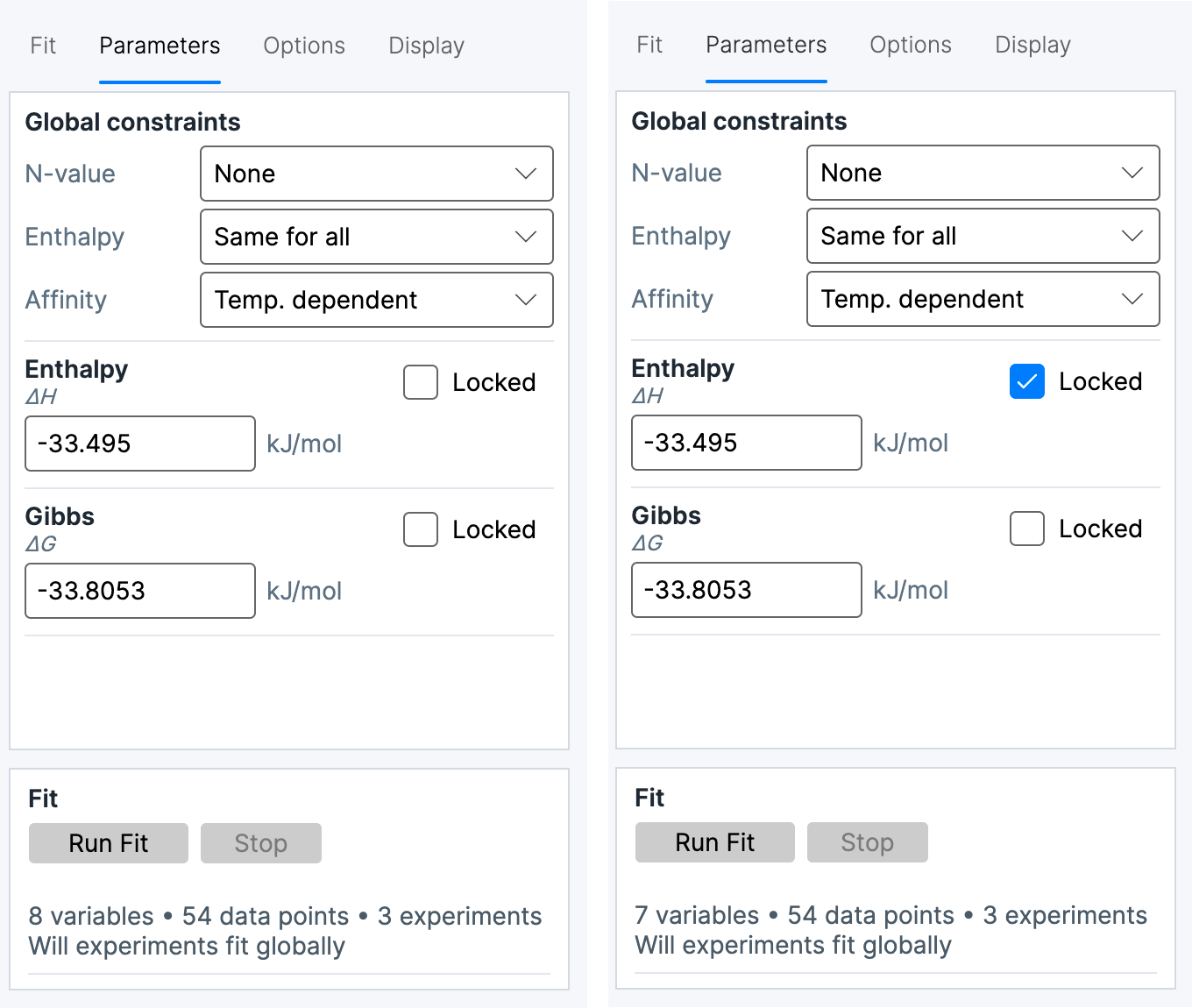
The Parameters tab contains the exposed fit parameters and, in multiple-experiment mode, the Global constraints section. Parameter rows show the current value, units, uncertainty information when available, and the parameter lock state. Values and locks control individual parameters. Global constraints define how those parameters are related across experiments.
The constraint states have these meanings:
| State | Meaning |
|---|---|
| Independent | The parameter remains member-specific. Each experiment has its own fitted value. |
| Shared | One common value is fitted for every member in the set. |
| Temperature dependent | A supported parameter is represented across the temperature series by the relationship exposed by the model. |
| Thermodynamically linked | Affinity shares at the fixed fit reference and derives (T) from the selected enthalpy relationship, including when present. |
The Locked state fixes an exposed parameter at its displayed value during fitting. Locked is not a constraint state and does not make a parameter common to the member experiments. A locked global value and a member-specific locked value therefore have different scopes.
For the core binding parameters, the available relationship states are model- and data-dependent:
| Parameter | Available states |
|---|---|
| Affinity | Independent, Shared Kd, Shared ΔG, or Thermodynamically linked |
| Enthalpy | Independent or Shared; Temperature dependent is also available when the selected set exposes temperature dependence |
| N-value | Independent or Shared |
| Offset | Independent or Shared |
The interface omits unsupported states for the current model. For affinity, Independent fits each member, Shared Kd fits one common dissociation constant, Shared ΔG shares one Gibbs-energy coordinate while varies with temperature, and Thermodynamically linked derives the full temperature relationship from the selected enthalpy model. Profile linked intervals are approximate because fitted-coordinate correlations are omitted. Bootstrap and leave-one-out evaluate complete relationships, while the structuring analysis (Spolar–Record method) samples linked inputs independently in its Monte Carlo calculation.
For Sequential Binding Sites, the step count is one shared model option for the complete experiment set. The interface shows one Affinity constraint selector and one Enthalpy constraint selector, regardless of whether two, three, or four steps are active. The selected constraint applies to every active step while keeping a separate parameter for each step: Same for all shares across members, separately shares , and so on; it does not force the different steps to equal one another. Temperature dependent likewise uses one per affinity step and one reference / pair per enthalpy step. Reducing the step count discards inactive step values and constraints; increasing it later creates new defaults for those steps.
Offset is an energy-per-mole-of-injectant correction. For each injection, its absolute heat contribution scales with the injected amount—the injection volume multiplied by the syringe concentration. With Offset: Independent, each experiment has its own fitted molar offset. With Offset: Shared, the Parameters tab exposes one common molar offset for the complete set. That shared value has its own Locked control; locking it fixes the common value for every member.
Linked temperature calculation
For independent enthalpies, the linked temperature relationship gives every experiment equal weight, including repeated temperatures and locked enthalpies. Linked Gibbs and entropy profile intervals propagate uncertainty through the enthalpy trend but do not account for correlations among fitted parameters; they are approximate. Bootstrap and leave-one-out recompute the relationship from their participating members. The reported best-fit values remain those from the original data.
Options
The Options tab contains the options exposed by the selected model. In multiple-experiment mode, a model option applies to every member. This includes model-specific concentration, stoichiometry, syringe-correction, or prebound-species settings when those options are exposed. The option values are preserved with the combined Analysis Result.
With From attributes, each member supplies its own attribute value under that common configuration. See Competitive Binding for competitor sources and the values captured by a fit.
An option that changes which parameters are exposed can also change the available parameter rows and constraint states. For example, model options that share or replace stoichiometry alter which N-values are independently represented. The available rows always describe the active model and option combination.
Display
The Display tab controls the graph presentation for the active member set. Its controls cover the fitted line, residuals, error bars, confidence band, point labels, parameter box, excluded points, automatic scaling, unified axes, fitted offset, and fit-line interpolation. The parameter box can separately show model, fitted, and derived parameters.
Display settings affect the graph presentation, not the model, the member data, or the fitted values. The graph can therefore show the independently fitted curves or global fit alongside each experiment's observations while the Parameters tab remains the source of the stored parameter and constraint state.
Combined Analysis Result
Open the combined Analysis Result to compare shared and member-specific values, then select members to inspect their fitted curves and residuals. The saved result retains the member set, model, constraints, solver and weighting settings, and uncertainty output.
The status and diagnostics distinguish a successful solver termination from the quality and uncertainty of the fit. RMSD, iteration count, weighting, error-estimation method, and the number of successful uncertainty refits describe how the combined result was obtained. Wide or asymmetric uncertainty, a member with a markedly different residual pattern, or a member solution with an invalid status remains visible as member-level information rather than being hidden by a combined value. Result interpretation and validity are covered in Results and advanced analyses.