Workspace
Navigate the application window and work with Experiment Data and Analysis Results.
Last verified:
Application window
Selected means the item currently shown in the workspace. Active means an experiment is included in operations that use a group of experiments. Selecting a row does not automatically make it Active.
The Data / Results list is the project navigator. It contains two types of project item: Experiment Data and completed Analysis Results. Selecting an item shows it in the workspace.
Only Experiment Data has an Active toggle. Active experiments participate in operations that use a group of datasets, such as multiple-experiment fitting, processing propagation, and coordinated export. The toggle becomes available after the experiment has been processed. Enable All, Disable All, and Invert Active change several experiments. The Sort commands order the list by name, date, temperature, type, ionic strength, or buffer ionization enthalpy. Multiple-experiment fitting is described in Multiple-experiment fitting, and the processing prerequisite is covered in Processing.
The workflow navigator selects the task; the workspace and controls update for that task. Item actions apply to the selected experiment or result, while the application menu provides project commands, tools, preferences, and help.
Experiment Data
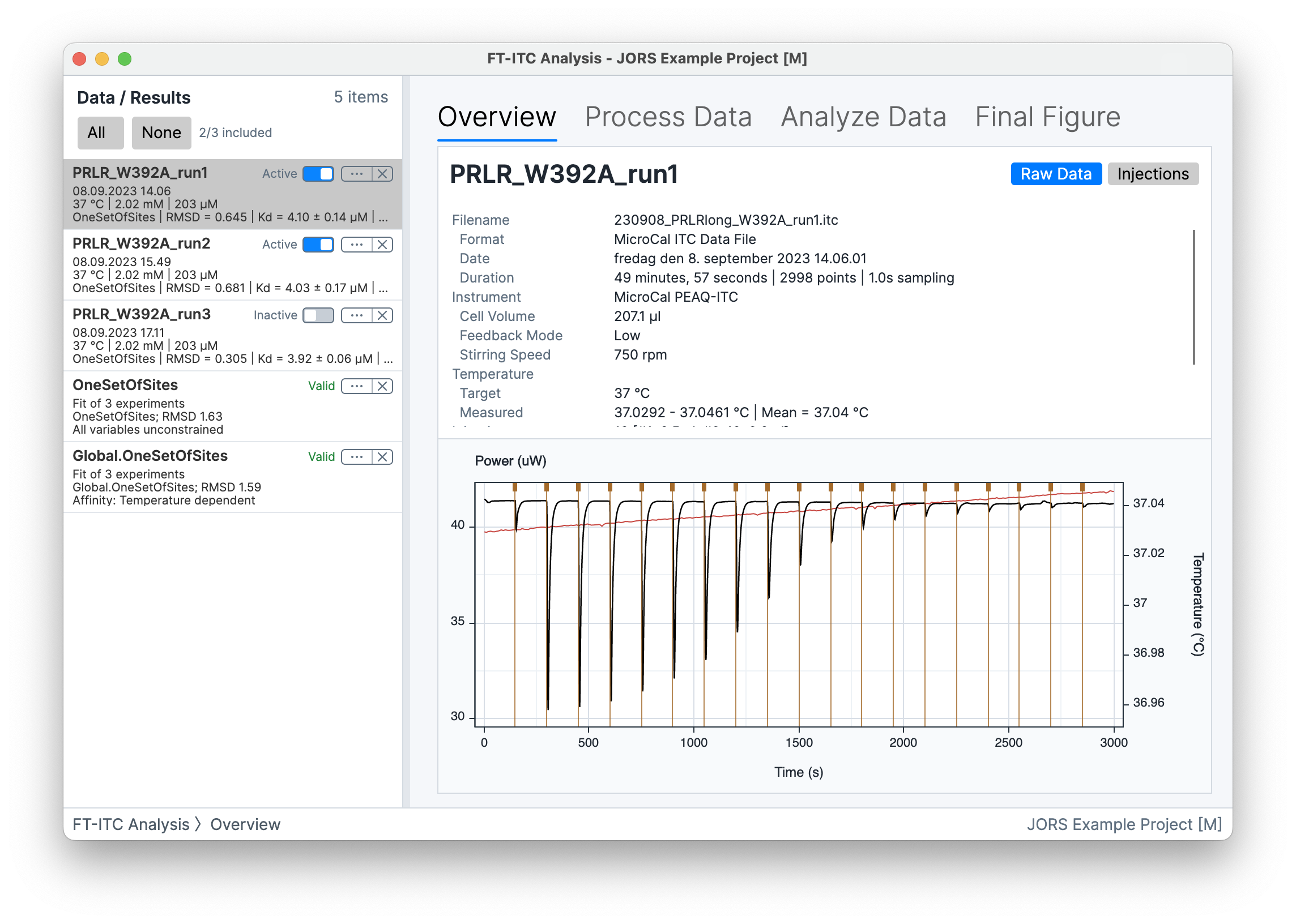
Experiment Data represents an imported or application-created dataset. Its list entry provides identifying information and a summary of its processing and fitting status.
Experiment workflow
Four task views are available for Experiment Data:
- Overview presents the imported data and available experiment information.
- Process Data turns a raw thermogram into integrated heats through baseline modeling and injection-region control.
- Analyze Data configures and runs single- or multiple-experiment fitting.
- Final Figure prepares the thermogram, integrated heats, fit, residuals, and annotations for presentation.
Details and attributes
The Details... view contains editable concentrations, comments, and experiment attributes. Use Details for the name, date/time, conditions, concentrations, and comments; Identifiers for external labels; and Attributes for optional metadata. Attributes describe conditions and analysis inputs such as buffer, salt, ionic strength, competitor, or prebound species.
Buffer pH entry requires a finite number from 0 to 14, inclusive.
Use External experiment ID, Cell sample/batch ID, and Syringe sample/batch ID on the Identifiers tab of Experiment Details to connect an experiment with your own records. These optional text labels allow duplicates and do not affect processing or fitting. Choose Apply to save them. Correcting an ID updates the displayed labels for existing results and newly generated reports; an already generated report preview must be updated to include the correction.
With Traceability Mode and its import-ID prompt enabled, review identifiers after raw-data imports. Select rows to fill blank IDs or replace selected cell/syringe IDs with shared values. Apply saves edits; Skip or closing retains the imported data without those edits. Project imports do not trigger the review.
Copy Attributes to All copies all attributes from the selected experiment to every other experiment. Attribute Operations... copies either one attribute or all attributes to All other experiments, Active experiments, a Specific experiment, or Experiment names containing.... The name option targets every other experiment whose name contains the entered text, without regard to capitalization. Clear Attributes removes all attributes from the selected experiment after confirmation.
Experiment Data actions
- Details... opens the editable experiment information and attributes.
- Duplicate Data creates another project item from the selected Experiment Data.
- Export Selected Data... exports the selected dataset.
- Clear Solution removes the fitted solution currently attached to the Experiment Data.
- Remove Data removes the item from the open project without deleting its source file.
Analysis Result
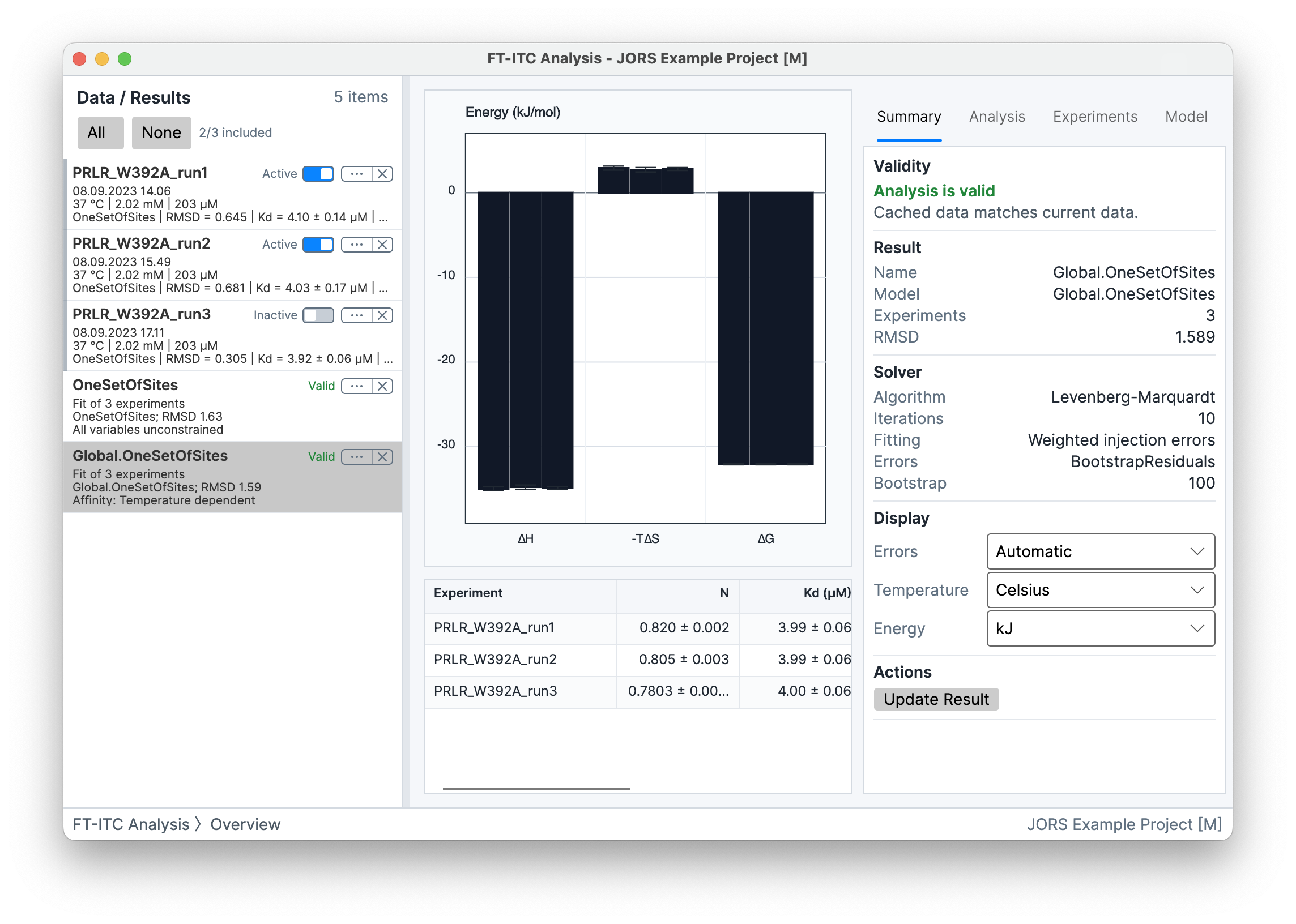
An Analysis Result stores a fit for one or more experiments together with its model, constraints, fitting settings, uncertainty output, and member solutions. Its list entry summarizes the stored fit.
Result workspace
Select Summary to compare member values, Fit to inspect a member's curve and residuals, or Correlation to inspect residual-bootstrap parameter relationships. Temperature, Salt, and Protonation require suitable models and metadata.
The inspector organizes result information under Summary, Analysis, Experiments, and Model. See Results and advanced analyses for interpretation and prerequisites.
Analysis Result actions
- Details... edits the result name and comments.
- In Avalonia, Copy Result Table copies the selected result table. On macOS, open Analysis Result Exporter and click Copy to Clipboard. The exporter also provides controlled table export.
- Update Result reruns the stored model and fitting settings using the current member experiments and replaces the result only after a successful fit. For bootstrap uncertainty, choose the stored request or another offered count; the update creates a fresh set of refits.
- Set Active Experiments makes the result's member experiments Active.
- Load Solutions to Experiments attaches the stored member solutions to their corresponding Experiment Data.
- Export Associated Final Figures... exports one figure per member experiment using that result's saved fit. It loads each saved solution only while making its figure, then restores the experiment's previous solution.
- Remove Result removes the Analysis Result from the open project.
Separate tools
The Tools menu opens separate windows for tasks outside the main experiment and result workflows. These include Experiment Designer..., Buffer Subtraction..., and Experiment Merger.... Their features are described in Tools.